

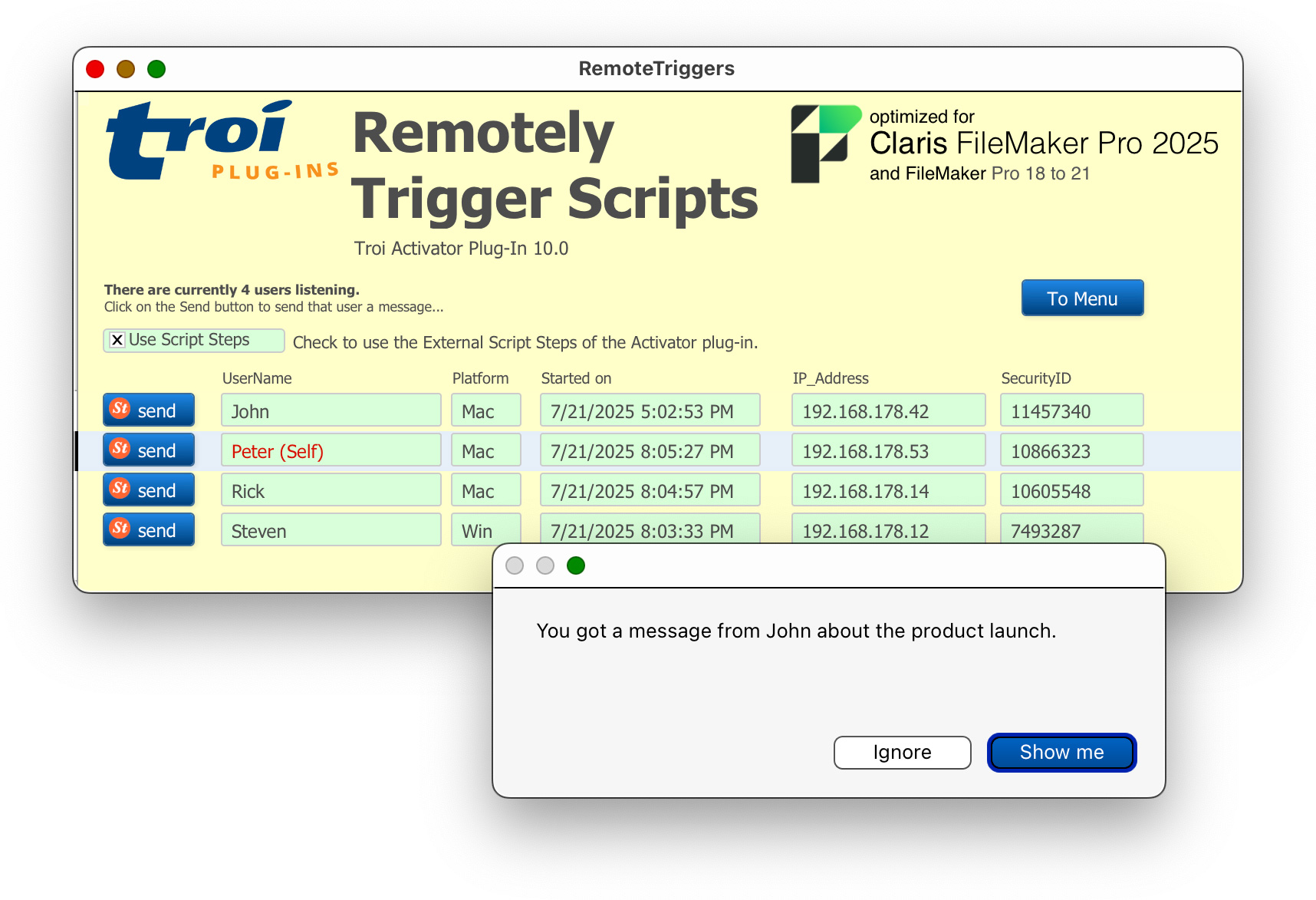
Ever wanted to tell other FileMaker users you changed an appointment or ask someone to get out of a record? Now you can with Troi Activator Plug-in! The Activator is a very powerful tool for triggering scripts across the network, even over internet!

FileMaker Pro 18 to 22 (2025)
FileMaker Server 18 to 22 (2025)
macOS 12 to 26
Windows 10 to 11
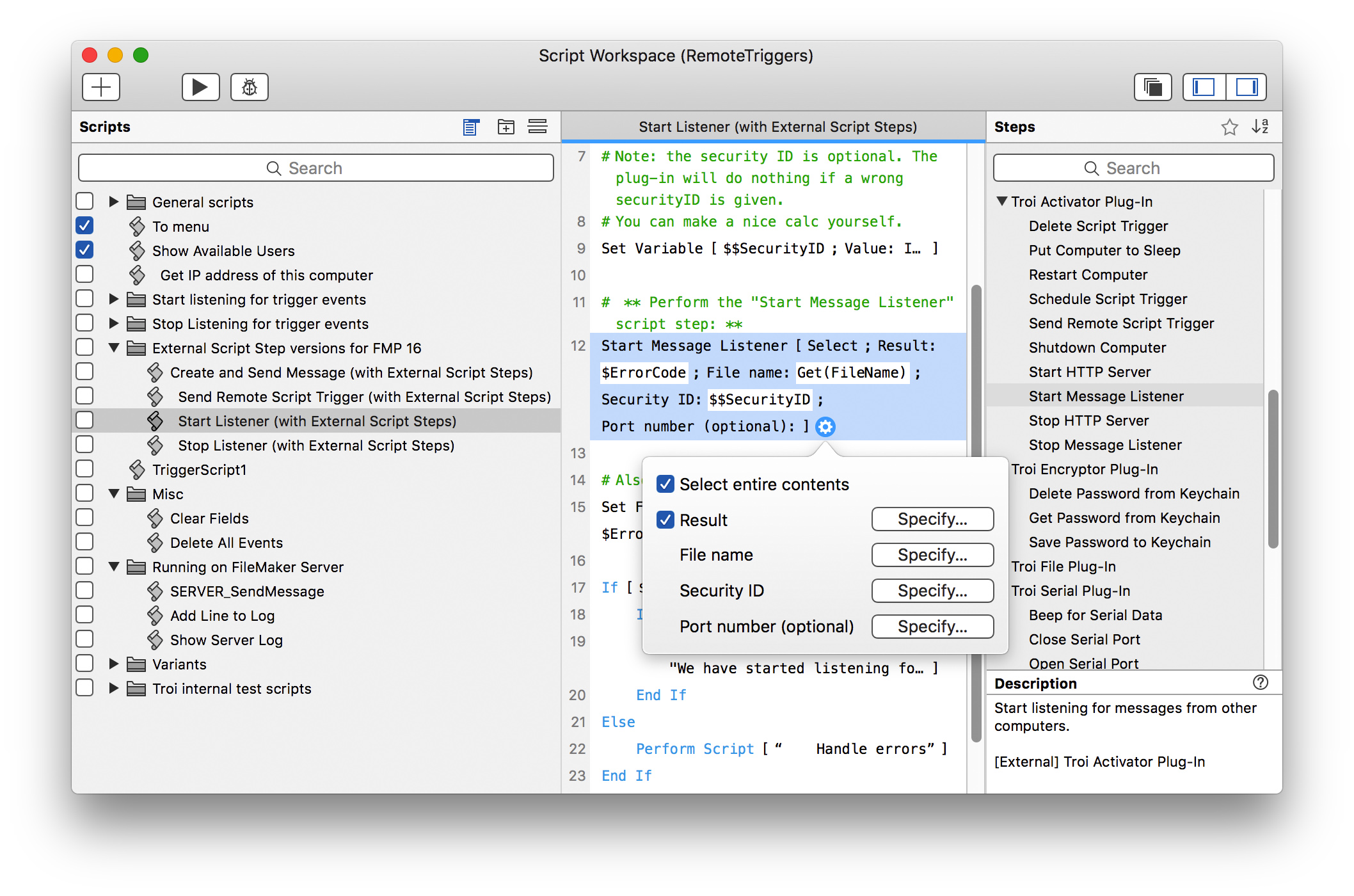
Troi Activator Plug-in is a very powerful tool for triggering scripts remotely. All from within FileMaker you can:
This allows you to:
Except from remote triggering you can also use the Activator Plug-in for:
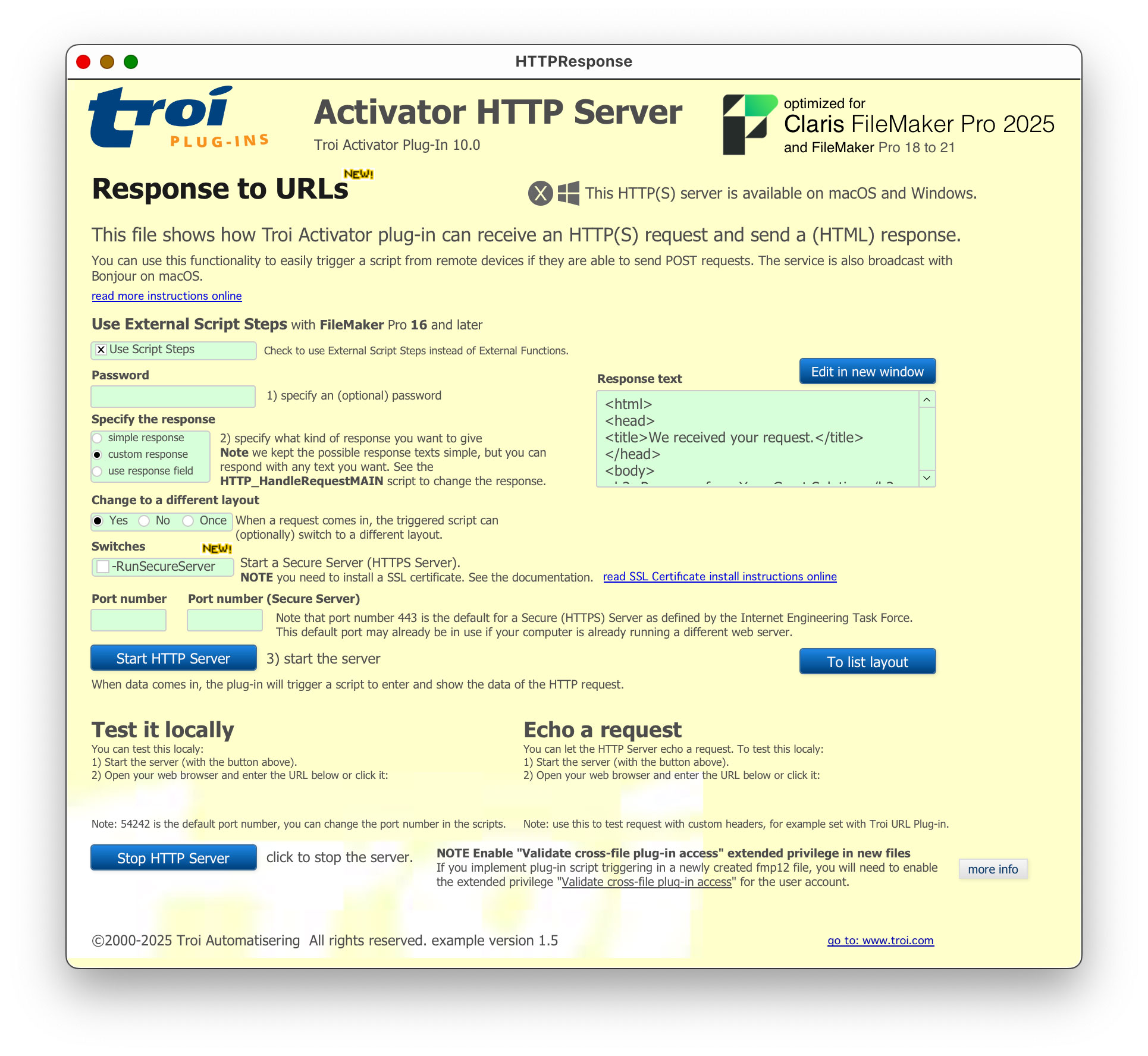
The Activator Plug-in has a built-in HTTP Server, which will trigger a script when data arrives. This can be implemented with the function Actr_StartHTTPServer or the Start HTTP Server script step. There are several ways in which you can use this functionality:
With Troi Activator Plug-in you can trigger a script with a URL, using the HTTP GET method. Use a URL like this:
http://www.example.com:54242/triggerscript.html?yourText=someTextYou can specify an (optional) password like this:
http://www.example.com:54242/triggerscript.html?yourText=showtime&password=secretYou can also add waitForResponse=yes to the triggerscript.html URL, for example likes this:
http://www.example.com:54242/triggerscript.html?waitForResponse=yes&yourText=getdatalistIn the triggered script you can then specify the response text with the Actr_SetHTTPResponse function or Set HTTP Response script step. This sets the (HTML) text which is returned to the remote client in response to the HTTP URL request sent to the Activator Web Server.
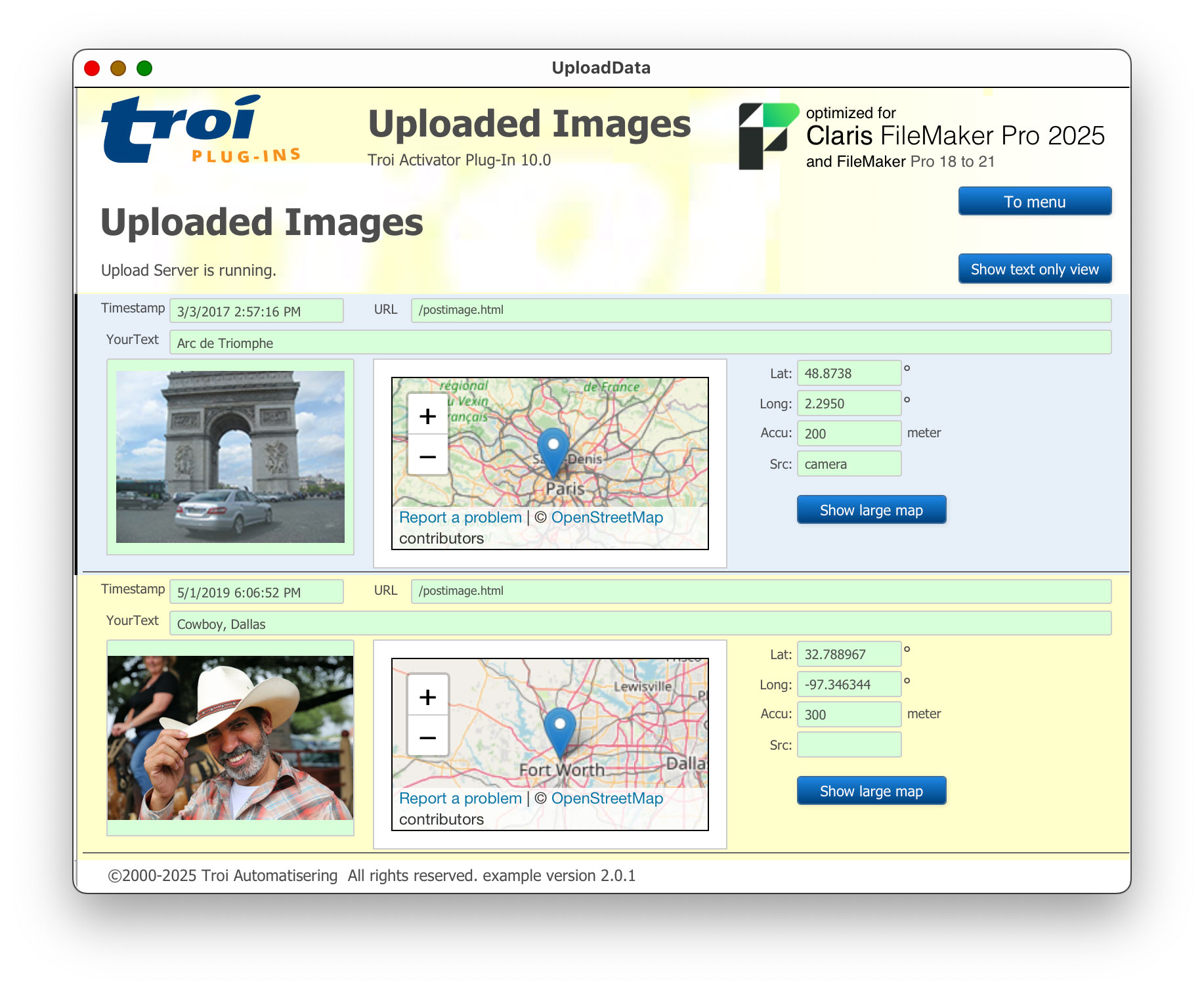
Troi Activator Plug-in can also serve as an Image Upload Server. It can receive uploaded images including GPS coordinates. With the GPS coordinates a location on a map (by OpenStreetMap) can be shown. You can use this functionality to easily upload data from remote devices. For more details please see the Image Upload Server page.
The HTTP server also has an echo function. This will echo back the HTTP request, including the method and headers used. This can help with debugging an HTTP problem. Use this functionality for example to test HTTP requests with custom headers you want to send with Troi URL Plug-in.
Activator Plug-in can trigger silent events and background events. This allows you to keep the main application free, while the background FileMaker application, for example a runtime application, does some time consuming work on data.
Troi Activator has a control function to disable all script triggers, so you can do maintenance on the database.
The possibilities are only limited by your imagination!
You are free and invited to test the plug-in before you pay. Troi Activator Plug-in is fully functional in demo mode, it will only stop working after 2 hours of testing. Download your copy here.
Troi Activator Plug-in 10. is tested and made compatible with Claris FileMaker 2025 (FileMaker Pro 22.0) and Claris FileMaker 2024 (FileMaker Pro 21.0). It is also tested and made compatible with macOS 15 (Sequoia) and Windows 11 version 24H2 (October 1, 2024).
In this version we added error handling when the plug-in has insufficient privilege for triggering scripts in a FileMaker file. The plug-in now shows an alert dialog if script triggering is not allowed in a (newly created) file. In this case you most likely need to enable the extended privilege Validate cross-file plug-in access (fmplugin extended privilege) in the fmp12 file. When running the Activator plug-in on FileMaker Server the plug-in will not show a dialog, but it will add a warning to the Troi Plugin FMServer.log when the script triggering fails.
The plug-in also links to our online help page: Enable “Validate cross-file plug-in access” extended privilege for FMP trigger scripts.
For those who don’t want to show the alert we added new switch “-DontShowExtendedPrivilegeWarning” to the Actr_ScheduleEvent function, the Start HTTP Server script step and the Actr_StartHTTPServer function.
This version also has several bug fixes and code improvements.
Please see the Version history below for a complete list of changes in this and earlier versions.
Improved compatibility
Bug fixes
Improved compatibility
Enhanced Script Triggering functionality
Bug fixes and changes
Code improvements
Startup Registration Log
Improved compatibility
New functionality
Other changes and improvements
<TROI_TEXT_UTF8>

your UTF8 formatted text

</TROI_TEXT_UTF8>
New functionality
http://www.example.com:54242/echo.plainTo get an HTML formatted text send the request to a URL like this:
http://www.example.com:54242/echo.htmlOther changes and improvements
New features
http://www.example.com:54242/echo.plainTo get an HTML formatted text send the request to a URL like this:
http://www.example.com:54242/echo.htmlNOTE you need to change the URL to point to the Activator HTTP server.
TIP Use this functionality to test HTTP requests with custom headers you want to send with our Troi URL Plug-in.
Other changes and improvements
For older release notes please see here.
We offer the following licenses for Troi Activator Plug-in:
single user, 10-user and 25-user license: these are meant for using the plug-in client-side, on FileMaker Pro (Advanced), including with files hosted by FileMaker Server. You need a license for every user that makes calls to the plug-in’s functions.
developer license: this license is meant for FileMaker developers, who want to include the plug-in with their database(s) or custom app(s) and distribute it to their end-users. Each of your end-users may use the plug-in with up to 25 users (contact us if any of your customers has more than 25 users). The number of organizations you distribute the plug-in to and the number of databases or apps you distribute it with are not limited. Works on FileMaker Pro (Advanced), including with files hosted by FileMaker Server.
Go to the developer license page for more info.
server/web license: this license registers the plug-in for use on FileMaker Server. It does not provide any client-side functionality. You only need this license if you want to use the plug-in in server-side scripts and in web published databases. It has no user limit.
Go to the server-side plug-ins page for more info.
All licenses work both on macOS and on Windows.
| single user license | US $ 99 per user | |
| 10-user license | US $ 329 | |
| 25-user license | US $ 499 | |
| developer license | US $ 499 | |
| server/web license | US $ 329 |
If you have a license for a previous version, you can buy an upgrade for version 10.0. If you bought a license on or after July 1, 2024, the upgrade to version 10.0 is FREE! Note: the 10.0 version needs a new registration string. Eligible users have been sent a new registration. Contact us if you have not received yours.
If you bought a license before July 1, 2024, you will need to buy an upgrade to use the 10.0 version:
| single user license upgrade | US $ 59 per user | |
| 10-user license upgrade | US $ 199 | |
| 25-user license upgrade | US $ 299 | |
| developer license upgrade | US $ 299 | |
| server/web license upgrade | US $ 199 |
Below are a few things our users had to say about Troi Activator Plug-in:
“I needed a reliable way to get FM6 to ‘send’ data to FM7. I was considering XML and CWP calls, timed export/imports every minute, etc. But someone suggested Troi Activator and I can’t speak highly enough of the solution. It was simple, simple, simple to set up on both sides of the FileMaker divide. And it works across the network with the most incredible behind-the-scenes speed. What I ended up doing was setting up a ‘bot’ machine that runs FM7 with the plug-in, and then the four FM6 machines that need to communicate with 7 also have the plug-in installed. I guess I was expecting some kind of glitch like screen flash or momentary system freeze or something when the plug-in was activated, so I was very impressed — awed actually — that I saw my local copy of 7 (over a WAN connection to the client) updated only a second after the plug-in script was activated on 6 to the 7 bot. Up to 6000 characters of text can be sent along with the plug-in’s script trigger, so no unreliable exports/imports of data were required.
I highly, highly recommend this solution if anyone else needs to do such a thing…
Thanks,”
Howard Schlossberg, FM Professional Solutions
“Originally we purchased the developer license of the Activator plug-in just to be able to trigger scripts on a field change. To our surprise, the script scheduling and ability to trigger scripts on a remote machine are just as valuable to us now. This is a plug-in that a FileMaker developer would be foolish to live without.”
Shawn Hogan, Lead Engineer at Digital Point Solutions
“Thank you! Thank you! Thank you! Thank you!
Peter;
Very rarely do I go to any effort to write someone a thank-you note when I purchase their software. However, this time, it certainly warrants it.Your plug-in, “Activator” has saved me – literally – hundreds of hours and an immense amount of heartache in my runtime solution, which is a massive relational system for managing flight operations at one of Canada’s busiest airports.
The activator script allows me to simply forward requests through to other systems where they can be parsed and acted upon, without having to contend with establishing relationships, multi-user issues, or any of that stuff.
Thank-you Soooooo much for this plugin!”
Stephen Grant, Toronto, Canada
“Great work Peter! What will you think of next?!”
Clint Roberts, Senior Technical Editor for ISO FileMaker Magazine.
“We just heard about and started playing with the Activator Plug-in. It looks great. Once again you’ve provided the FileMaker community with a tool that empowers us to create innovative solutions to data management challenges. Our heartfelt thanks and congratulations to you and your team. Your fine work is appreciated.”
Sean Branney, DataEmporium.Net.
“You’ve the first really usable Plug-in for scheduling scripts. Congratulations to this great Plug-in. :-)) “
Longin Ziegler, ismile.
“This plug-in is fantastic. And as usual from Troi it works really well and comes with excellent examples.”
review from Paul de Halle on VersionTracker.
We are still collecting more comments. If you have any remarks on the Activator Plug-in please send us your comments. Thanks!
Click images to enlarge
Activator Plug-in online help
Function and script step reference.
Activator Plug-in FAQ
See a list of Frequently Asked Questions about this plug-in.
Enable cross-file plug-in access
Instructions for enabling the extended privilege “Validate cross-file plug-in access” (fmplugin extended privilege) in the fmp12 file.
Activator HTTP Server
Read how to use Troi Activator Plug-in’s built-in HTTP Server for triggering scripts from a URL.
Installing a SSL Certificate for Troi Activator HTTPS Server
Instructions for installing a SSL Certificate for running a secure (HTTPS) server.
Image Upload Server setup instructions
Read how to configure Troi Activator as an Image Upload Server, enabling your FileMaker Pro database to receive images including (GPS) location data.
Troi Activator Plug-in compared to script triggers in FileMaker 10 and later
Read a more detailed comparison between native script triggering in FileMaker 10 and later and Troi Activator Plug-in.
Activator Plug-in Conversion from FileMaker Pro 6
(Older) information on how to convert databases which use the Activator, from FileMaker Pro 6 to FileMaker Pro 7 and later.
Trigger FileMaker Pro scripts across the network, even over internet!