

Troi URL Plug-in can help you fill in web forms on internet, all from FileMaker Pro. It also retrieves data or images from any http and https URL.

Troi URL Plug-in can help you fill in forms on internet, all from FileMaker Pro. The FileMaker plug-in also retrieves data from any http URL. All from FileMaker Pro you can:
Troi URL Plug-in can help you fill in forms and retrieve the result directly in FileMaker Pro. It can fill for example a form similar to this:
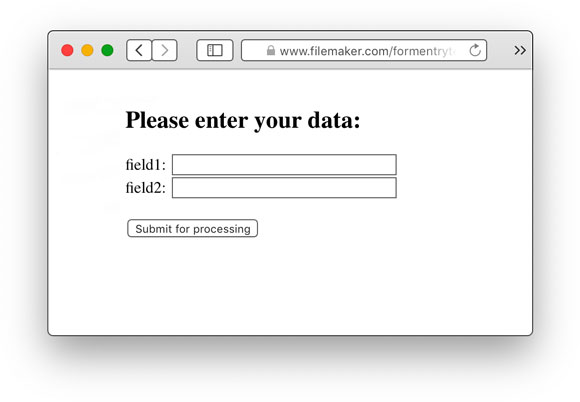
And you can submit the data of this form all from a FileMaker script, without the need of a browser. In a script you can fill this form with the TURL_Post function:
Set Field [result , TURL_Post( "-Unused" ;
"http://www.filemaker.com/greatform/cgi-sys/formmail.pl" ;
"field1=data1&field2=data2&secret=A12474&Submit=Submit%20for%20Processing")]
This will send the data to a web server and get the result back. A sample result might be:
<HTML><HEAD><TITLE>Example Web Page</TITLE></HEAD>
<BODY><p>You have posted the data.</p></BODY></HTML>
Of course the actual form and result can be quite different and more complicated in your situation.
Troi URL Plug-in adds the TURL_AuthorizeWithCallbackScript function, which lets a user authorize Troi URL Plug-in to use a web service, for example Twitter. After authorization a script is triggered with a script parameter which contains the access token and secret. By storing these you can then use the web service (like sending a tweet). Currently this is a macOS only function. On both macOS and Windows you can use the function TURL_SetAuthCredentials, which enables you to set the Consumer Key and Consumer Secret for an OAuth authorization. This makes it possible to work with web services that use OAuth 1.0A. The plug-in comes with an OAuthWebService example file which demonstrates the OAuth functionality for Web Services and the TURL_SetAuthCredentials function.
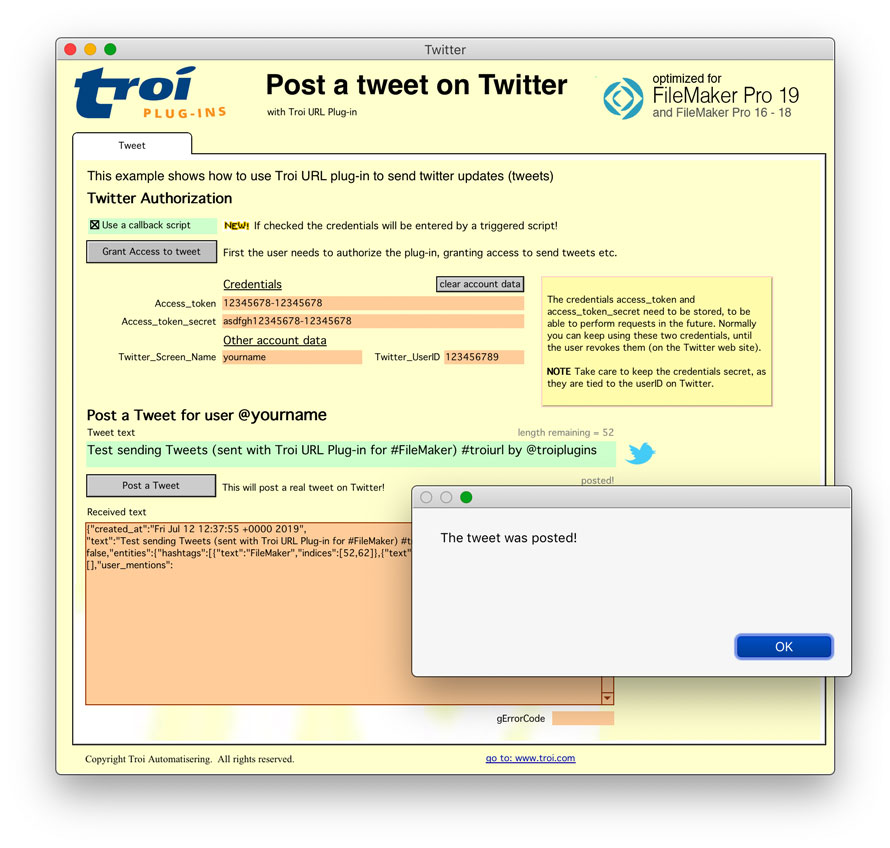
Twitter uses the OAuth protocol to secure their Twitter API. We have included a separate Twitter example file which shows you how to use Troi URL Plug-in’s functions to authorize for working with a Twitter account and post tweets from FileMaker. After authorization, tweets (and other commands) can be sent for an account from FileMaker without the need to log in.
Troi URL Plug-in can automatically detect if web pages are UTF-8 encoded and get the result with the right encoding into FileMaker.
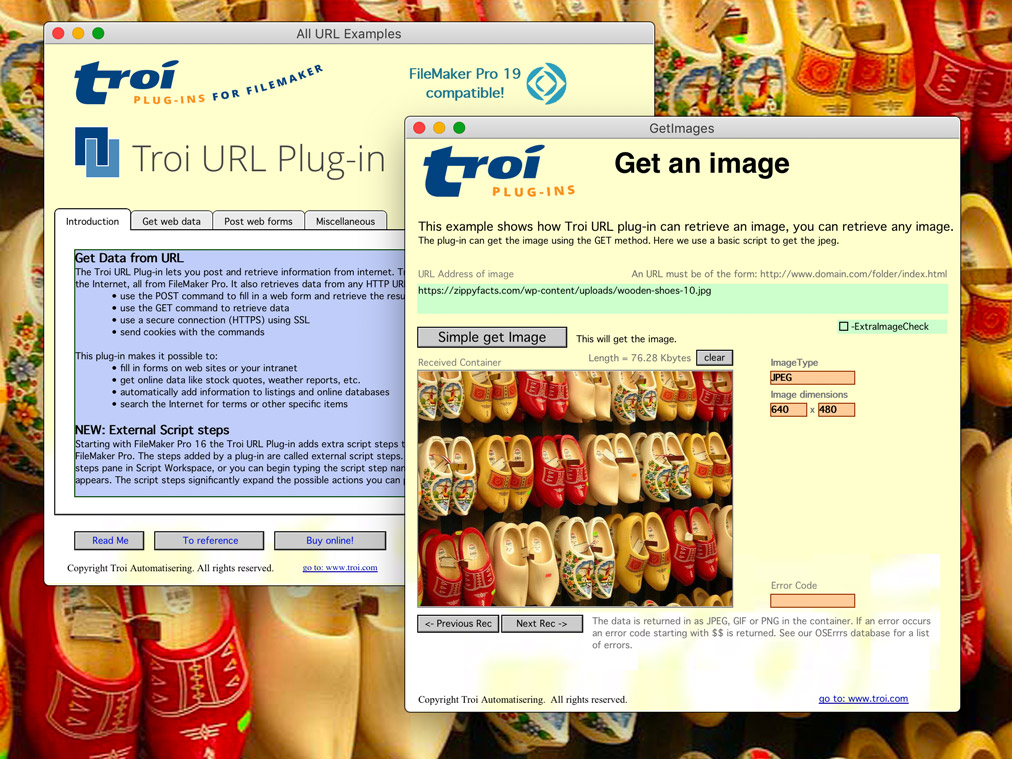
It is possible to get JPEG and GIF and even PNG images directly into a container field. This allows you to harvest images, like photos directly from a web site!
The possibilities are only limited by your imagination!
You are free and invited to test the plug-in before you pay. Troi URL Plug-in is fully functional in demo mode, it will only stop working after 2 hours of testing. Download your copy here.
Troi URL Plug-in 8.0 was tested and made compatible with Claris FileMaker Pro 19.3. The plug-in now runs natively on Apple Silicon: we made the plug-in a universal binary by adding code for the arm64 architecture of macOS. The plug-in was also tested and made compatible with Windows 11.
See the Version history below for a complete list of changes in this and earlier versions.
This version is a Troi URL Plug-in maintenance update
New features
Bug fixes
Other changes and improvements
Extra features when running FileMaker Pro 16
NOTE Only steps that perform an action have been added as a script step. Functions that just return information (like for example TURL_GetLastHTTPStatusCode) are only available as an external function.
Version 4.5 (for FileMaker 12 to 15) (May 24, 2016)
Version 4.1 for FileMaker 12, 13 and 14 (May 12th, 2015)
For older release notes please see here.
We offer the following licenses for Troi URL Plug-in:
single user, 10-user and 25-user license: these are meant for using the plug-in client-side, on FileMaker Pro and FileMaker Pro Advanced, including with files hosted by FileMaker Server. You need a license for every user that makes calls to the plug-in’s functions.
developer license: this license is meant for FileMaker solution developers, who want to include the plug-in with their solution(s) and distribute it to their end-users. Each of your end-users may use the plug-in with up to 25 users (contact us if any of your customers has more than 25 users). The number of organizations you distribute the plug-in to and the number of solutions you distribute it with are not limited. Works on FileMaker Pro and FileMaker Pro Advanced, including with files hosted by FileMaker Server.
Go to the developer license page for more info.
server/web license: this license registers the plug-in for use on FileMaker Server and FileMaker Server Advanced. It does not provide any client-side functionality. You only need this license if you want to use the plug-in in server-side scripts and in web published databases. It has no user limit.
Go to the server-side plug-ins page for more info.
All licenses work both on macOS and on Windows.
| single user license | US $ 79 per user | |
| 10-user license | US $ 349 | |
| 25-user license | US $ 499 | |
| developer license | US $ 499 | |
| server/web license | US $ 349 |
If you have a license for a previous version, you can buy an upgrade for version 8.0. If you bought a license on or after December 18, 2020, the upgrade to version 8.0 is FREE! Note: eligible users have been sent a new 8.0 registration. Contact us if you have not received yours.
If you bought a license before December 18, 2020, you will need to buy an upgrade to use the 8.0 version:
| single user license upgrade | US $ 49 per user | |
| 10-user license upgrade | US $ 169 | |
| 25-user license upgrade | US $ 249 | |
| developer license upgrade | US $ 249 | |
| server/web license upgrade | US $ 169 |
Below are a few things our users had to say about Troi URL Plug-in:
“First, I wanted to thank you guys for creating such excellent plug-ins. They fill pretty much all of the gaps in FileMaker and really go a long way into making it into the Swiss Army knife of cross-platform solution development.
The other reason I wanted to write is that I think you are sitting on a real game changer that potential customers might not be aware of without making it a little more obvious. I am referring to Troi URL’s ability to make FileMaker into an incredibly powerful web client, in particular for communicating with SQL databases. I have been absolutely blown away with what I can do in this regard with the plug-in. Combined with Troi File and Troi Encryptor it delivers the ability to create very fast (VERY fast), very secure SQL applications that provide a ton of extended capabilities over any browser-only based solutions. The link below points to a page on my site that explains a little more about the concept.
Thanks again, you guys rock, please keep up the exceptional work.”
Rob Salusbury, http://customdataservices.net/sqlclients.htm
“Peter, Thanks, I am a repeat customer and very happy with your products. I want to especially thank you for the pre-sales question you answered for me last week about the URL plugin. I was having trouble getting past web pages with NT-Type authentication. Your solution worked like a charm and is opening all sorts of possibilities for us. We are now able to automate some really cool things thanks to you. Cheers, and check out our project’s website at www.watchthewater.org. A large portion of the backend is powered by FileMaker Pro and your stuff.”
Michael Bateman, Ocean Lifeguard / Project Manager, County of Los Angeles Fire Department, Lifeguard Division
“For seven years FitBody Pro has been a stand alone Diet Software solution that consumers use to track their diet and exercise. We knew that our customers were adding foods to FitBody and wished they could share the nutrition profiles of those foods with other users. Synchronization was only a dream until we found the Troi URL plug-in. Our customers now seamlessly upload their records to our server and download updates entirely from our cross-platform FileMaker Pro runtime solution. Thanks Troi!”
Darwin Stephenson
“I’m probably not the first to tell you: Way-cool! Keep up the GREAT work!”
Erik Wegweiser, Intelligent Database www.ichizen.com. FileMaker Pro Developer, Consultant – Member, FileMaker Solutions Alliance
We are still collecting more comments. If you have any remarks on the URL Plug-in please send us your comments. Thanks!
Click images to enlarge
URL Plug-in online help
Function and script step reference.
URL Plug-in FAQ
See a list of Frequently Asked Questions about this plug-in.
HTTP status codes
Communicating with a web server is done with the help of status codes. Some of those may be returned by the plug-in.
Troi URL Plug-in helps Rob connect
Using Troi URL plug-in to make FileMaker Pro into an incredibly powerful web client, in particular for communicating with SQL databases.
URL Plug-in Conversion from FileMaker Pro 6
(Older) information on how to convert databases which use Troi URL from FileMaker Pro 6 to FileMaker Pro 7 and later.
Post and retrieve information from internet!